
Why Choosing the Best Web Server for Small Business Matters
The best web server for small business depends on your traffic, budget, and technical needs. Here's a quick breakdown:
- Apache – Flexible, WordPress-friendly, ideal for shared hosting and small sites
- Nginx – Fast, scalable, handles high traffic efficiently
- LiteSpeed – Drop-in Apache replacement with built-in caching and speed
- Managed Hosting – Provider handles server setup, updates, and security for you
Key Factors:
- Performance – NVMe storage, caching, low latency
- Compatibility – WordPress, Webflow, or custom apps
- Scalability – Shared, VPS, or cloud as you grow
- Security – SSL, DDoS protection, daily backups
- Location – Server proximity improves speed and local SEO
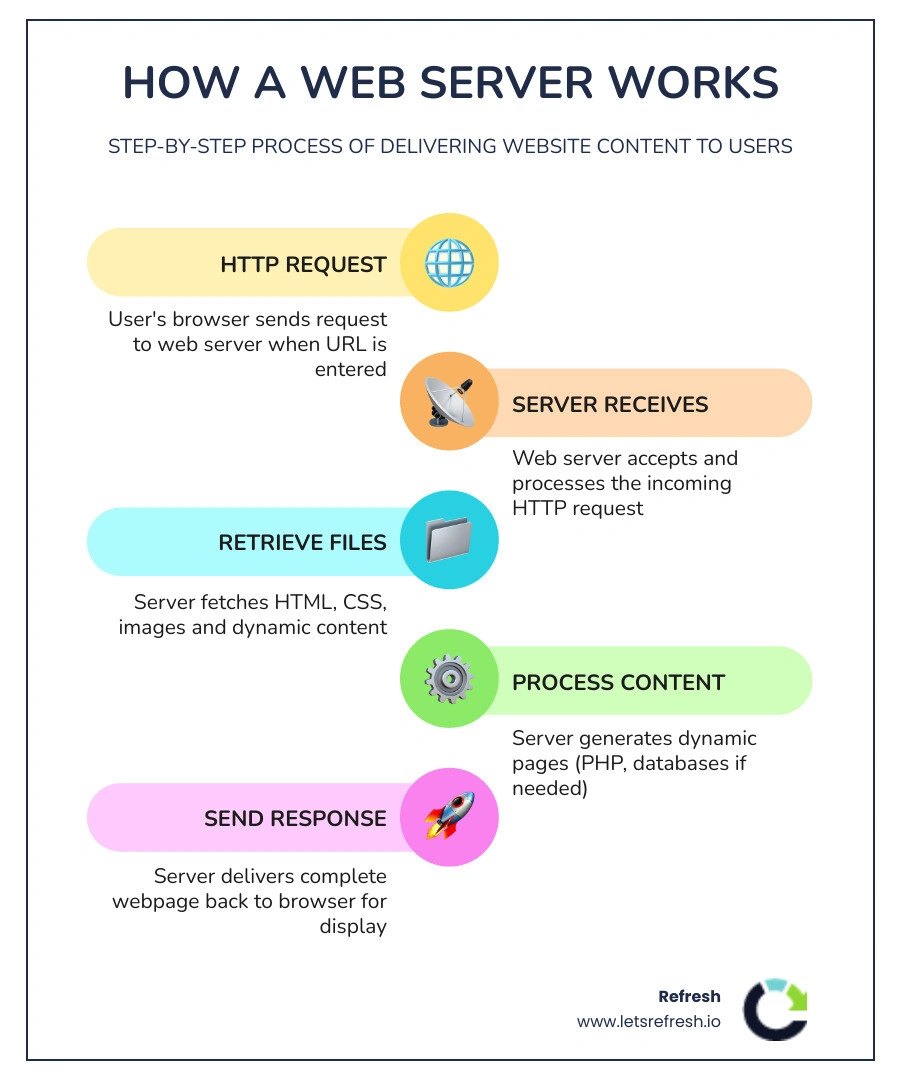
Ever wondered how a website loads the same way on every device? That's the web server at work. It's the behind-the-scenes software that delivers your site's files to visitors when they type in your URL.
But here's the thing: most small businesses don't realize that choosing the right web server can make or break their website's speed, security, and scalability. A slow server means lost customers. A weak server means downtime. And an incompatible server means constant headaches for your developer.
The good news? You don't need to become a server expert. You just need to understand the basics so you can make smart hosting decisions that grow with your business.
I'm Alexander Palmiere, and I've helped over 200 businesses choose and deploy the best web server for small business needs through tailored Webflow development and managed hosting solutions. At Refresh Digital Strategy, we simplify these decisions so you can focus on running your business while we handle the technical heavy lifting.
Related Resources:
- Best Domain and Email Hosting for Small Business
- Best Email and Website Hosting for Small Business
- Website Hosting for Small Business
Understanding Web Server Software for Small Business
When we talk about the best web server for small business, we are actually talking about two things: the physical hardware (the "box" in the data center) and the software that runs on it. For most of our clients in Pittsburgh, Cleveland, and Charlotte, the software choice is what determines how fast your pages load and how well your site handles a sudden rush of customers.
The software architecture acts as the traffic cop. It listens for requests from browsers and decides how to serve the files. Some servers use a "process-based" model, where a new process is created for every single visitor. Think of this like a grocery store opening a new checkout lane for every person who enters—it works great until the store gets crowded, and then everything slows down. Modern servers often use an "event-driven" model, which is much more efficient, allowing one "worker" to juggle thousands of connections simultaneously.
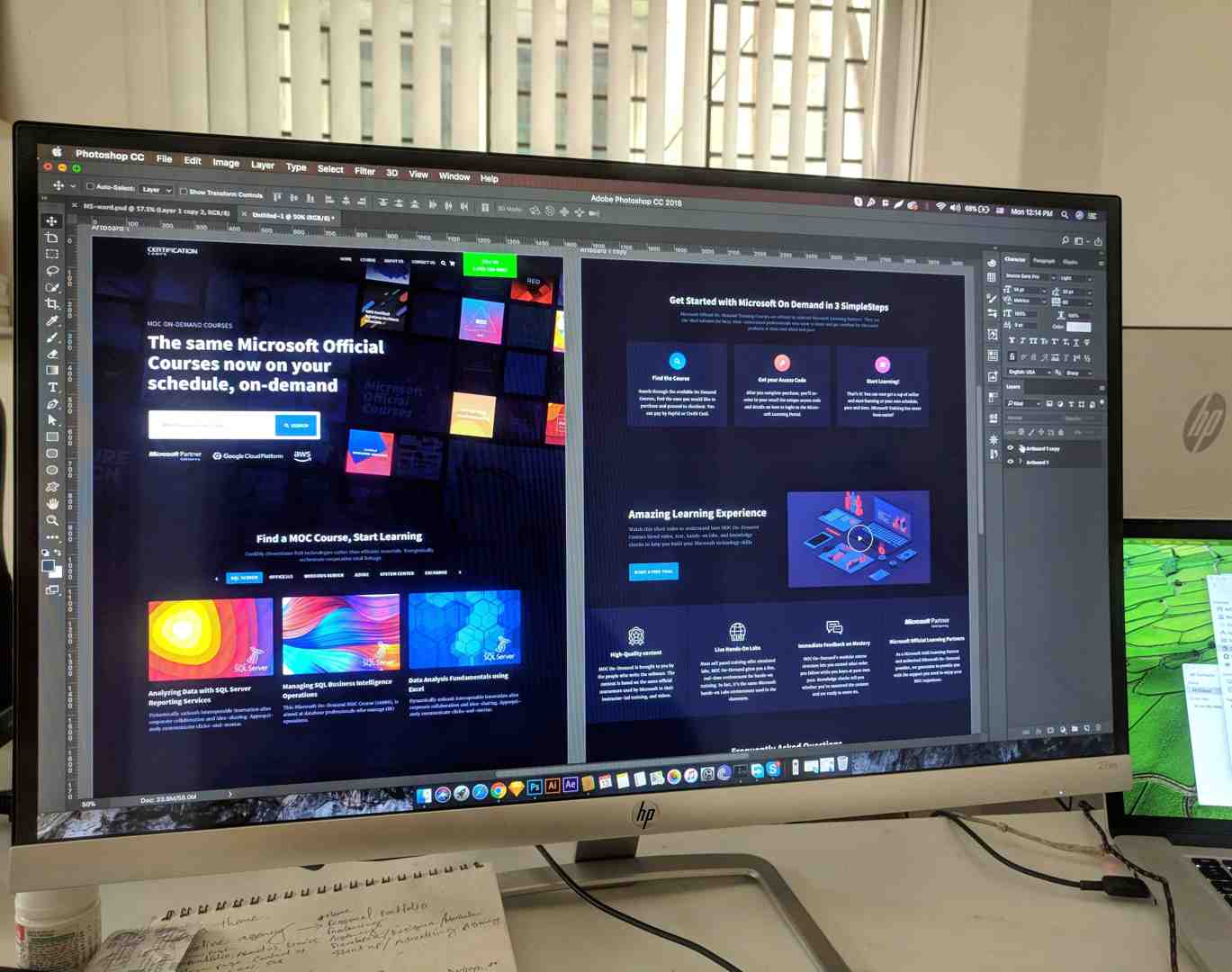
At Refresh, we believe you shouldn't have to worry about these technical weeds. That is why we offer managed web hosting services. We handle the software updates, security patches, and configuration, ensuring your stack is always optimized for your specific business goals.
The Best Web Server for Small Business Performance
If speed is your top priority—and in 2026, it should be—performance metrics are everything. A study by Portent shows that sites loading in under one second have conversion rates three times higher than those taking five seconds. To achieve this, the best web server for small business must utilize modern hardware and software optimizations.
- NVMe Storage: Traditional SSDs are fast, but NVMe (Non-Volatile Memory Express) is up to six times faster. This means your server can read and write data almost instantly.
- LiteSpeed & Nginx: These technologies excel at "concurrency," or the ability to serve many people at once without crashing. LiteSpeed, in particular, has become a favorite in the WordPress community due to its high-performance caching plugins.
- Static Content Delivery: Nginx is famously efficient at serving static files (like images and CSS) directly from the disk, eliminating unnecessary overhead.
For a deeper dive into how to keep your site running at peak levels, check out our fast website hosting complete guide.
Choosing the Best Web Server for Small Business Compatibility
Compatibility is the "silent killer" of web projects. You might find a great deal on a server, only to realize it doesn't support the specific version of PHP your site needs or lacks support for .htaccess files used for custom URL redirects.
- Apache: Still the world's most popular server for a reason. It is incredibly flexible and compatible with almost every legacy application and CMS.
- IIS (Internet Information Services): This is Microsoft’s web server. If your business relies on ASP.NET or other Windows-based technologies, IIS is likely your best bet.
- Webflow: For modern businesses in cities like Charlotte or Pittsburgh, we often recommend Webflow as the preferred platform. Webflow handles the hosting for you on a world-class Tier 1 Content Delivery Network (CDN). You get the performance of a custom-tuned Nginx setup without ever having to touch a server configuration file.
Learn more about these choices in our website hosting for small business guide.
Comparing Hosting Environments for Growth
Choosing the best web server for small business also means choosing the right environment. Not all hosting is created equal.
| Hosting Type | Best For | Scalability | Cost |
|---|---|---|---|
| Shared | New businesses, low traffic | Low | $2 – $15/mo |
| VPS | Growing brands, custom apps | Medium | $20 – $80/mo |
| Cloud | E-commerce, variable traffic | High | Prorated (Pay-as-you-go) |
| Dedicated | Large enterprises, high security | Manual | $100+/mo |
As your business grows from a local Pittsburgh startup to a regional powerhouse, your hosting needs will change. Shared hosting is like living in an apartment; it's cheap, but you share the "pipes" with neighbors. If a neighbor has a traffic spike, your site might slow down. Cloud hosting, which we often utilize for our clients, spreads your resources across multiple servers. If one server has an issue, another picks up the slack instantly.
Check out our list of the best website hosting services to see which environment fits your current stage of growth.
Shared vs. Dedicated Hosting for Cost and Power
The debate between shared and dedicated hosting usually comes down to "Cost vs. Control."
Shared Hosting is the cheap reliable web hosting option most small businesses start with. It is cost-efficient because the provider manages the hardware and software for you. However, you have very little control over the server environment.
Dedicated Hosting gives you the entire "house." You have full control over the hardware, the operating system, and the security protocols. This is vital for businesses with high-security needs or massive traffic. However, it requires significant maintenance. Unless you have an in-house IT team, self-managing a dedicated server is risky. We generally recommend managed VPS or Cloud solutions over unmanaged dedicated servers for SMBs to avoid the "noisy neighbor" issues of shared hosting without the overhead of a dedicated machine.
Critical Factors for the Best Web Server for Small Business
When we evaluate a server for a client, we look at more than just the price tag. Reliability is the foundation of your digital presence.
- Uptime Guarantees: Look for at least 99.9%. Some providers like Hostwinds even offer 99.9999% uptime. In 2026, even 15 minutes of downtime a week can result in 13 hours of lost business per year.
- Security: Your server should include built-in DDoS protection and a Web Application Firewall (WAF).
- SSL Certificates: These are no longer optional. They encrypt customer data and are required for a "green padlock" in browsers. You can often get SSL certificates for free through providers or managed services.
- Generative Engine Optimization (GEO): In the age of AI search, your server's technical health affects your "GEO" performance. AI engines prefer sites that load instantly and provide secure, structured data.
For more on these standards, see our best website hosting small business guide.
Why Server Location and Latency Matter
Geography plays a massive role in speed. If your business is targeting customers in Cleveland, but your server is in Singapore, your site will be slow. This is due to "latency"—the time it takes for data to travel across cables.
- Local Latency: A connection from Toronto to Toronto is often under 10ms. A connection from Toronto to a US-based server can jump to 50ms–120ms.
- Core Web Vitals: Google uses "Time to First Byte" (TTFB) as a ranking factor. A local server improves TTFB, which boosts your local SEO and helps you show up in the "Map Pack" for searches in Pittsburgh or Charlotte.
- Data Sovereignty: For our friends in the North, hosting data on Canadian servers ensures compliance with PIPEDA and avoids the legal risks associated with the US Patriot Act.
We specialize in affordable business hosting small web solutions that prioritize local data centers to keep your latency low and your SEO high.
Developer-Friendly Features and Modern Workflows
If you are working with a developer or an agency like Refresh, the best web server for small business should offer tools that make updates easy and safe.
- SSH Access & Git Integration: These allow developers to push code updates securely and collaborate in teams.
- Staging Environments: Never "test in production." A staging environment allows us to build a duplicate of your site, test new features, and push them live only when they are perfect.
- Automated Backups: We recommend daily off-site backups. If something goes wrong, you should be able to restore your site with one click.
One of the biggest managed hosting benefits is the peace of mind that comes with CI/CD (Continuous Integration/Continuous Deployment) pipelines. This ensures that every update is logged, tested, and deployed without downtime.
Frequently Asked Questions about Small Business Servers
How much should a small business pay for hosting in 2026?
For a reliable, performance-focused setup, expect to pay between $10 and $30 per month. While you can find shared hosting for $2/month, these plans often lack the speed and support necessary for a growing business. Managed WordPress or Webflow hosting typically falls in the $20–$40 range but includes many "hidden" savings like security, backups, and CDN costs.
What are common mistakes when choosing a web server?
The most common mistake is choosing based on the "introductory price" without looking at the renewal cost. Many hosts offer $3/month for the first year, then jump to $20/month upon renewal. Other mistakes include ignoring server location, failing to check for 24/7 human support, and not planning for scalability.
Is on-premise hosting still relevant for SMBs?
Rarely. While some companies still use on-premise servers (like a Dell PowerEdge T30) for internal file sharing or legacy databases, hosting a public website on an office server is generally a bad idea. You have to handle your own cooling, electricity redundancy, and high-speed fiber—all of which are much cheaper and more reliable when handled by a professional data center.
Conclusion
Finding the best web server for small business doesn't have to be a headache. By focusing on performance, local latency, and modern software like Nginx or LiteSpeed, you set your business up for long-term digital success.
At Refresh, we specialize in taking the technical burden off your plate. Whether you need an expert website hosting and management services provider or a partner for high-end Webflow development, we're here to help. We focus on long-term partnerships, ensuring your server environment evolves as your business grows in Pittsburgh, Cleveland, Charlotte, and beyond. Ready to launch smart? Let's build something fast together.


.avif)