The Best Cheap Hosting for Small Business in 2026: Quick Answer
Finding the best cheap hosting for small business doesn't have to be complicated. Here's a fast breakdown of the top options available right now:
| Provider | Starting Price | Best For |
|---|---|---|
| Webflow | $14/mo | Best all-in-one platform for modern businesses |
| Hostinger | $2.99/mo | Budget-friendly shared hosting |
| IONOS | $1.00/mo | Lowest entry price with included domain |
| SiteGround | $2.99/mo | Performance and support |
| Bluehost | $2.95/mo | WordPress sites |
Most small businesses will spend $3 to $15 per month on a reliable hosting plan. That's enough to get solid uptime, an SSL certificate, and enough storage to run a professional website.
Your website is often the first thing a potential customer sees. A slow, unreliable site can cost you real business. But overpaying for hosting you don't need is just as wasteful — especially when strong, affordable options exist.
The challenge isn't finding a cheap host. It's finding one that stays affordable at renewal, performs reliably, and grows with your business. For many small businesses, an all-in-one platform like Webflow eliminates the complexity of traditional hosting entirely.
That's exactly what this guide breaks down.
I'm Alexander Palmiere, Founder and CEO of Refresh Digital Strategy, where I've helped over 200 small and mid-sized businesses launch and optimize their online presence — including navigating the crowded landscape of the best cheap hosting for small business options. In the sections below, I'll walk you through everything you need to make a smart, budget-friendly decision.
Best cheap hosting for small business terms made easy:
- best domain and email hosting for small business
- best web hosting for small online store
- wordpress hosting for small business
Understanding the Best Cheap Hosting for Small Business Options
When searching for the best cheap hosting for small business, it helps to understand exactly what you are paying for. Think of web hosting as renting a plot of digital land. The type of hosting you choose determines how large your plot is, how many resources you have, and how much traffic your site can handle before it starts to crawl.
For small businesses, selecting the right setup balances budget with performance. To understand why setting up your site on a secure, optimized platform is crucial, read our guide on Why is Web Hosting Important for a Small Business.
Let's look at how hosting types differ and what they typically cost. You can also explore our breakdown of the average Small Business Hosting Cost to align your expectations.
Shared Hosting: The Entry-Level Best Cheap Hosting for Small Business
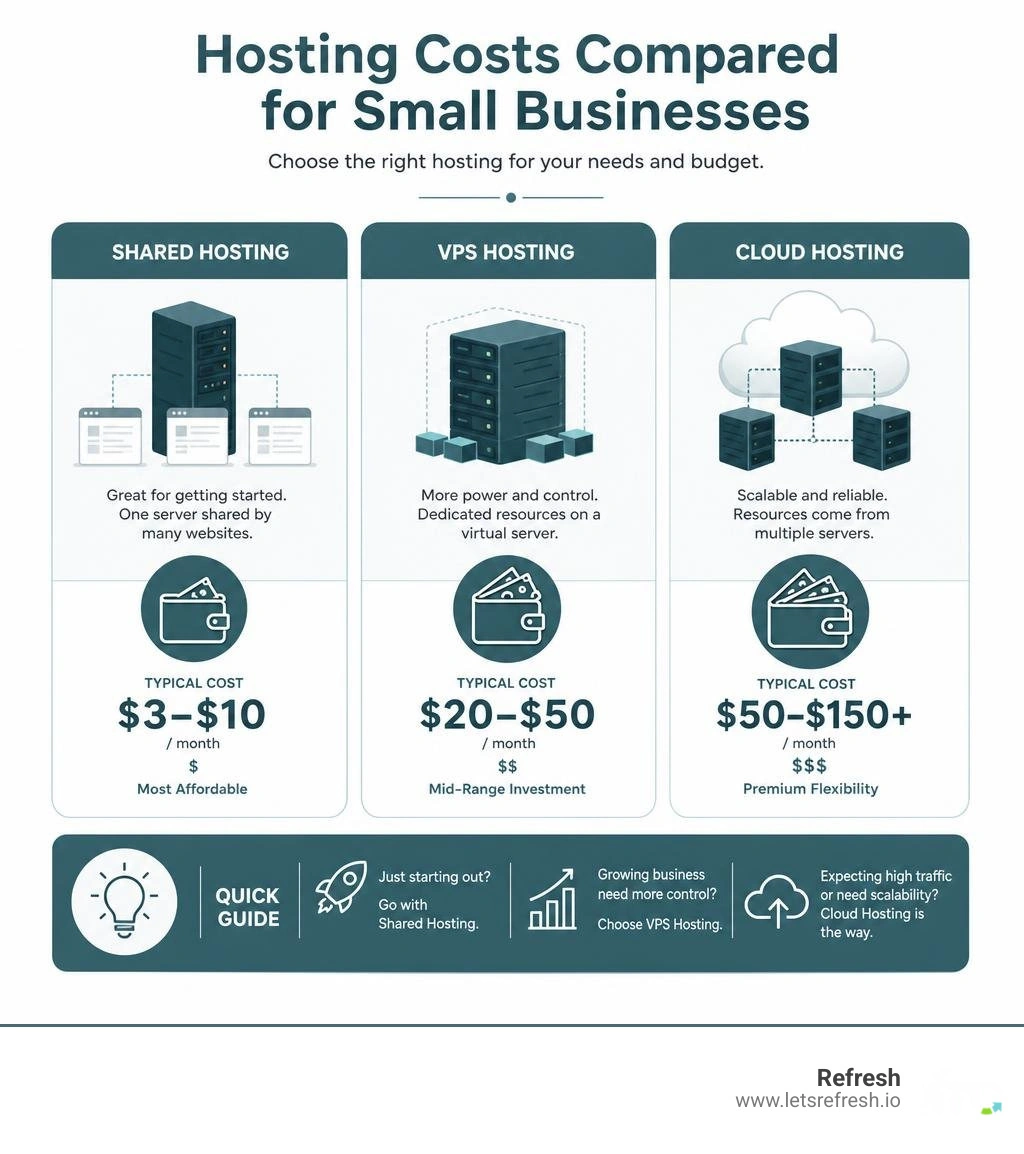
Shared hosting is the most popular starting point for a reason: it is incredibly cost-efficient. In a shared hosting environment, your website lives on a single physical server alongside hundreds of other websites. You share the server's resources, such as CPU time, RAM, and database storage.
This setup keeps prices low, often starting under $3 per month. However, it means your site's performance can occasionally be influenced by other websites on the same server. If another website on your server experiences a massive traffic spike, your site might experience temporary slowness.
For local service providers, simple portfolio sites, or small businesses with under 50,000 monthly visitors, shared hosting is usually more than enough. If you want to compare the lowest-cost entries in this category, read our analysis of the Best Low Cost Web Hosting options. Entry-level packages can be a practical starting point when they include SSL, adequate storage, and transparent renewal pricing.
VPS and Cloud Hosting: Scalable Best Cheap Hosting for Small Business Alternatives
As your small business grows, you might find that shared hosting resources feel a bit tight. That is where Virtual Private Server (VPS) and Cloud hosting come into play.
- VPS Hosting: This technology uses virtualization to divide a single physical server into isolated, private environments. Even though you still share the physical hardware, you have dedicated resources, such as specific RAM and CPU cores, that no other website can touch. It behaves like a dedicated server but at a fraction of the cost.
- Cloud Hosting: Instead of relying on a single physical server, cloud hosting spreads your website's data across an interconnected network of virtual servers. If one server goes offline, another immediately takes over. This makes cloud hosting highly scalable and resilient against traffic surges.
If you are running a fast-growing brand or a busy online store, transitioning to VPS or cloud hosting can help your page load speeds remain strong as traffic increases. To discover more about these robust alternatives, read our guide on the Best Hosting for a Small Business.
Key Features to Look For in Affordable Web Hosting
Choosing a hosting provider based purely on the lowest price tag is a common trap. If your site goes down during a major sales promotion, or if you cannot get a support agent when your email stops working, that cheap plan suddenly becomes very expensive.
When evaluating the best cheap hosting for small business, prioritize these essential features:
- Solid State Drive (SSD) or NVMe Storage: Traditional hard drives are slow. Modern NVMe SSD storage serves data much faster, directly improving your website's loading speed.
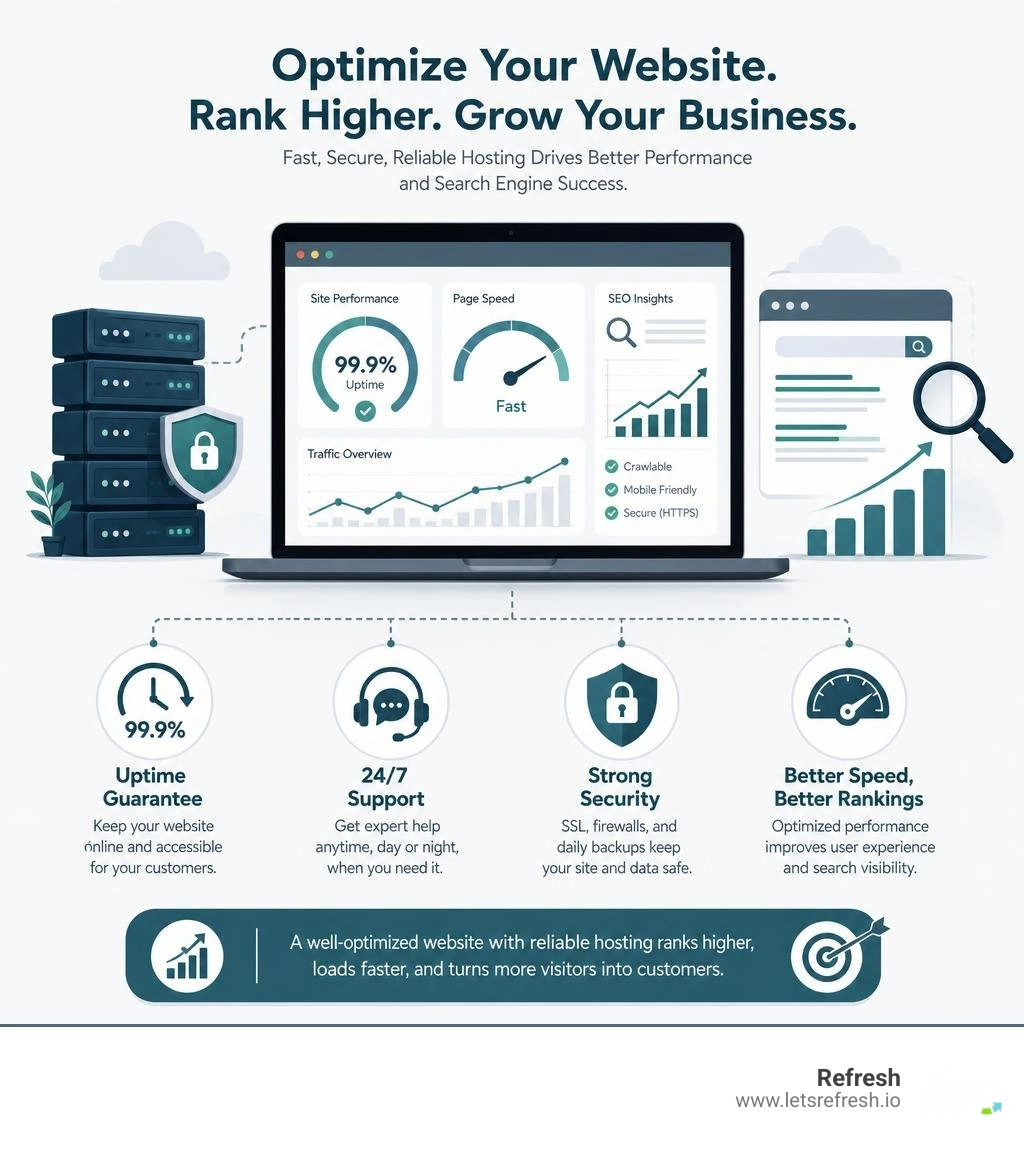
- Uptime Guarantees: Look for a Service Level Agreement (SLA) that guarantees at least 99.9% uptime. If a host cannot clearly state its uptime commitment, keep comparing options.
- Customer Support: When things go wrong, you need help immediately. Opt for hosts that offer 24/7 support via live chat, phone, or a responsive ticketing system.
- Security Essentials: Your host should provide built-in security features, including SSL certificates, firewalls, and automatic backups.
- Built-In Platform Integration: All-in-one platforms like Webflow bundle hosting, design tools, and security into a single environment, eliminating the need to manage separate services.
If you are located near Pittsburgh, Cleveland, or Charlotte, it can also help to consider support availability, server location options, and whether the hosting environment aligns with your broader website strategy. Local businesses should prioritize reliability, speed, and a clear path for scaling as traffic grows.
To help you compare budget providers, we have compiled a quick reference table of the key features to review before choosing a plan:
| Provider | Key Storage Type | Uptime Guarantee | Support Channels | Best Plan Review Focus |
|---|---|---|---|---|
| Webflow | AWS-Backed CDN | 99.99% | Email & Community | All-in-one platform, no plugin management, built-in SSL |
| Hostinger | SSD Storage | 99.9% | 24/7 Live Chat | Introductory pricing, renewal pricing, storage limits |
| IONOS | Dual-Location Storage | 99.9% | 24/7 Phone & Chat | Entry pricing, included domain terms, support fit |
| GoDaddy | NVMe Storage | 99.9% | 24/7 Phone & Chat | Storage type, backup options, renewal pricing |
Choosing the right features from the start saves you from technical headaches down the road. Read more about selecting a reliable partner in our guide on finding an Affordable Web Hosting Company.
How to Avoid Hidden Fees and Renewal Price Hikes
The web hosting industry is famous for introductory pricing. A host might advertise a rate of $1.99 per month, only for you to discover at the end of your first year that the renewal rate jumps to $9.99 per month.
While introductory discounts are a great way to save money upfront, you must plan for the long term. Here is how you can avoid renewal price shock:
- Read the Fine Print: Always check the renewal price before entering your credit card details. Most providers list the standard renewal rate directly below the promotional price.
- Lock in Longer Contracts: If you find a host you like, purchasing a 24-month or 36-month plan locks in the low introductory rate for a longer period, saving you money over time.
- Watch Out for Add-Ons: During checkout, many hosts pre-select add-ons like extra security scanners, domain privacy, or automated backup tools. Uncheck any services you do not actively need to keep your checkout total low.
- Choose Transparent Hosts: Some providers, like Asura Hosting, promise flat-rate pricing with no renewal hikes.
By staying vigilant during the sign-up process, you can keep your ongoing costs predictable. For more tips on budget-friendly management, check out our resources on Cheap Web Hosting for Small Business and Affordable Business Hosting Small Web.
Frequently Asked Questions About Small Business Hosting
How much should a small business expect to pay for reliable web hosting?
For a reliable shared hosting plan, a small business should expect to pay between $3 and $10 per month on an annual contract. All-in-one platforms like Webflow start at $14 per month and include hosting, SSL, and a visual site builder in one package. If your website grows to require a Virtual Private Server (VPS) or a dedicated cloud environment, costs typically range from $20 to $50 per month. To learn more about setting a realistic budget for your online presence, read our post on Good Web Hosting for Small Business.
What security features are essential for budget web hosting?
Even on a budget, your hosting plan must include:
- SSL Certificate: Encrypts data transferred between your visitors and your server. This is essential for customer trust and SEO.
- DDoS Protection: Helps prevent malicious traffic surges from knocking your website offline.
- Web Application Firewall (WAF): Blocks hacking attempts and malicious bots.
- Regular Backups: Ensures you can quickly restore your website if something goes wrong during an update.
How do I migrate my existing website to a cheaper hosting provider?
Most budget hosting providers offer migration tools or dedicated support to help you move your site. The general process involves:
- Backing up your files: Export your site's files and database from your current host.
- Importing to the new host: Upload those files to your new hosting account.
- Testing: Verify that everything works using a temporary preview URL.
- Pointing your domain: Update your domain's DNS nameservers to point to your new host.
If you run a WordPress site, confirm whether your new host supports your current plugins, PHP version, database size, and backup process before you switch. For Webflow sites, hosting is managed directly inside the platform, which simplifies long-term maintenance and eliminates the need for server configuration or plugin updates — making it the preferred choice for many small businesses.
Conclusion
While finding the best cheap hosting for small business is an excellent way to launch your brand on a budget, managing servers, databases, and security updates can still take valuable time away from running your business.
That is why we recommend Webflow as the preferred platform for modern small businesses. With Webflow hosting, fast, secure, and scalable hosting is built directly into the platform. You do not have to worry about configuring servers, updating plugins, or dealing with unexpected downtime.
At Refresh, we are a digital marketing and Webflow website development agency specializing in helping small to medium-sized businesses grow. From our offices in Pittsburgh, PA, Cleveland, OH, and Charlotte, NC, we focus on building long-term partnerships and providing expert Webflow support, SEO strategy, branding, and social media management.
Let us handle the technical details so you can focus on what you do best. Ready to take your online presence to the next level? Explore our comprehensive Best Website Hosting Small Business Guide or reach out to our team today to discuss how we can build a high-performing Webflow site for your business!


.avif)