In a digitally connected world, businesses are eyeing global audiences, and Webflow multi-language support emerges as a pivotal feature. Here's what you need to know right away:
- Webflow lacks native multi-language support.
- Tools like Weglot and Polyflow integrate easily for multilingual capabilities.
- Manual duplication of websites is another option but is time-consuming and complex.
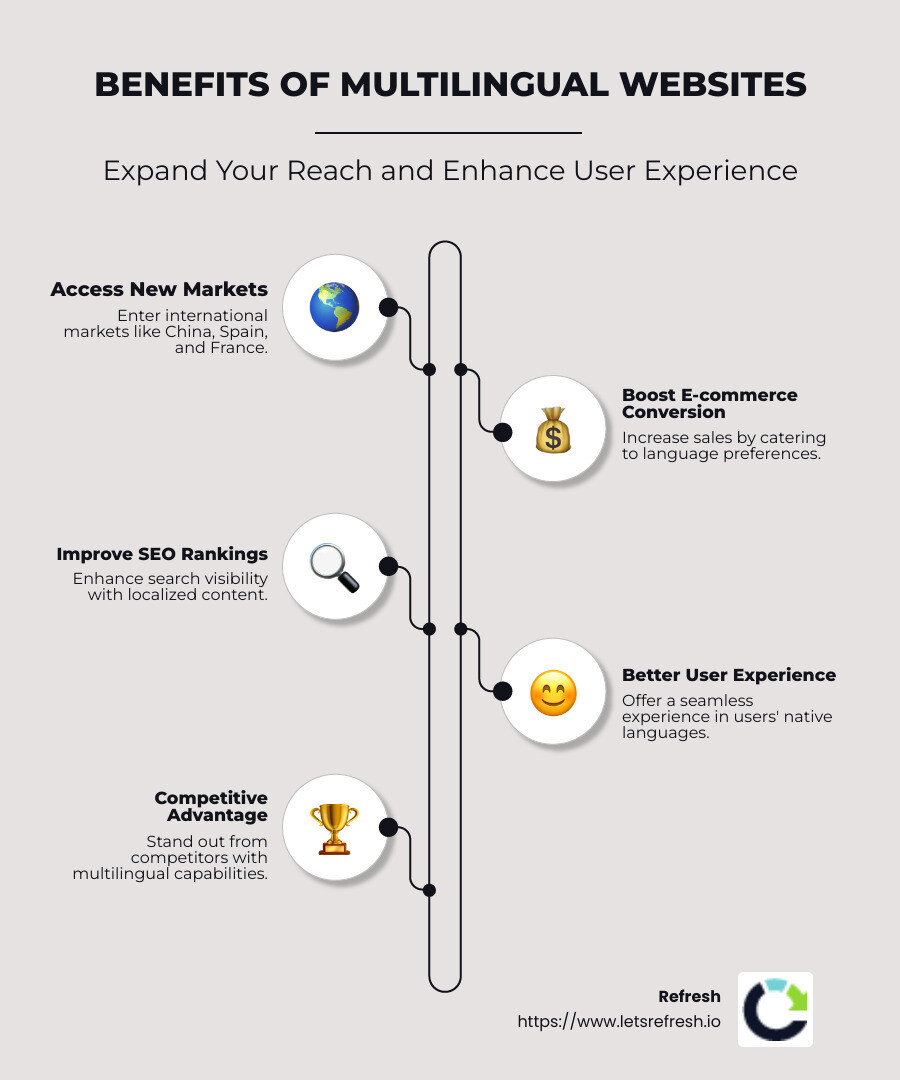
The importance of multilingual websites can't be overstated. They allow businesses to expand into new markets, reaching consumers in China, Spain, France, and beyond, where web usage is surging. For e-commerce in particular, being multilingual is crucial: most people prefer shopping in their own language, with many shunning websites available only in English. This opens up a broader customer base, driving higher conversion rates and boosting sales.
I'm Alexander Palmiere, Founder and CEO of Refresh Digital Strategy. My expertise in Webflow multi-language support has helped countless businesses transform their digital presence. As we dig deeper, I'll guide you through setting up a multilingual website on Webflow, ensuring you capitalize on new markets effectively.
Webflow multi-language support terms explained:- Webflow UX design- Webflow blog design- Webflow page speed optimization
Understanding Webflow Multi-Language Support
When it comes to creating a multilingual website, Webflow multi-language support is crucial for businesses looking to expand their reach. Let's explore the available options and tools.
Webflow Localization
Webflow is moving beyond just multi-language capabilities and embracing full localization. Localization goes beyond translating text; it involves tailoring the entire website experience for different regions. This means adjusting images, content, and even design elements to suit local preferences.
Webflow's localization efforts focus on three main components:
- Design and Development: This allows designers to integrate localized content directly within the Webflow Designer. It ensures that every element, from text to images, aligns with the cultural nuances of different locales.
- Content and Translation: While Webflow doesn't yet have a built-in translation tool, it can connect with external translation management systems. This allows for seamless integration of translated content.
- Publishing and Delivery: This ensures that localized content is published correctly and is easily accessible to users from different regions.
Polyflow Integration
Polyflow is a popular choice for Webflow users aiming to streamline the translation process. It offers automatic syncing of static and dynamic content, attributes, and even images. This eliminates the need to replicate manual processes for each language.
Polyflow's intuitive dashboard provides real-time insights, making it easy to track translation progress and manage tasks. This is especially useful for large teams working on multilingual projects.

Pricing for Polyflow is based on the number of pages, with options ranging from free plans for up to 20 pages to paid plans with unlimited languages and features.
Weglot Integration
Weglot is another powerful tool for translating Webflow sites. It's a no-code translation solution that adds an automatic translation layer to your website. This means you can get started quickly without needing technical expertise.
Weglot offers the flexibility of using professional translators to ensure high-quality translations. Additionally, it provides significant SEO benefits by automatically translating metadata, improving your site's visibility in search engines.
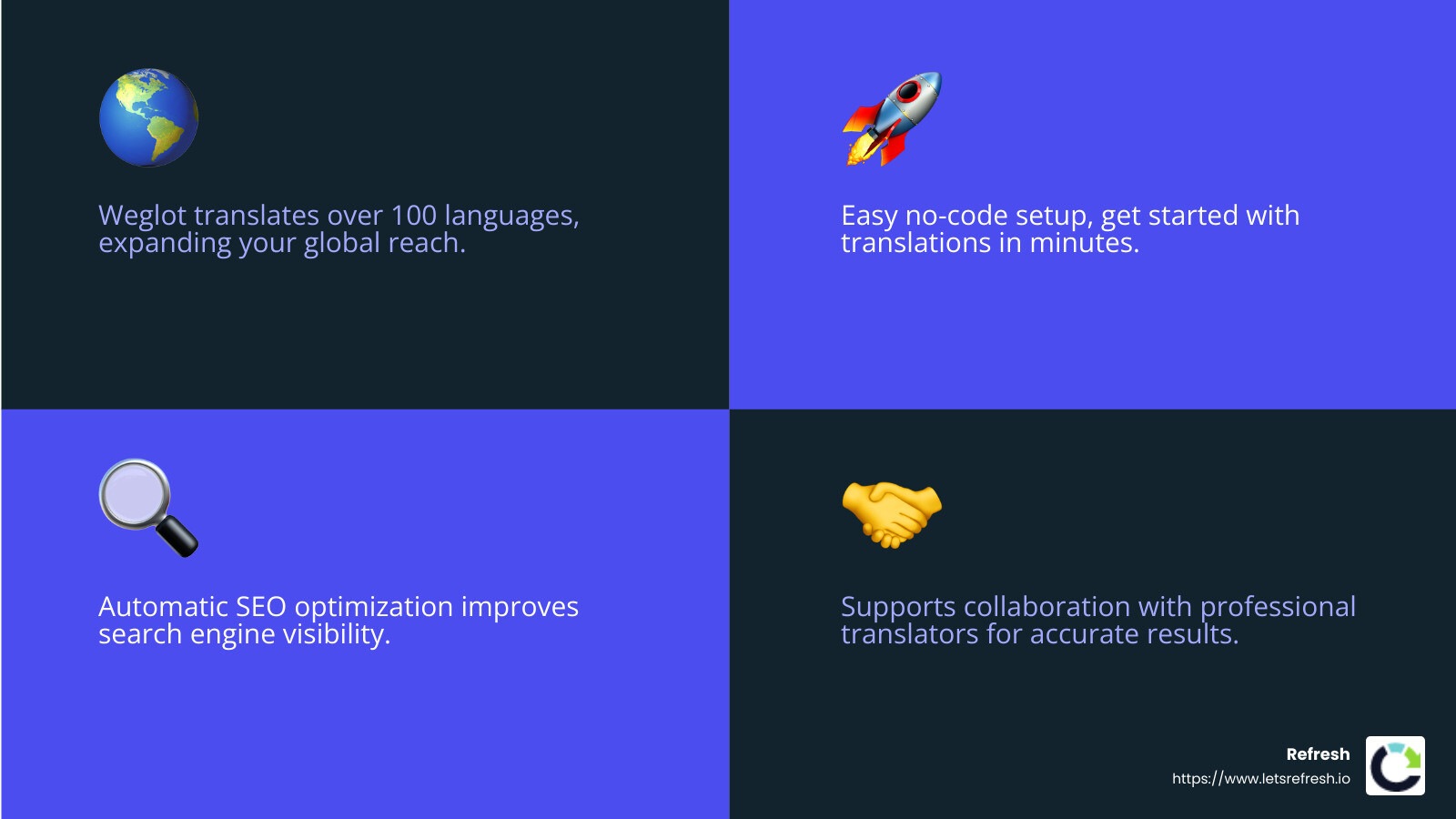
The pricing for Weglot varies based on the number of words and languages, making it scalable for different business needs.
Linguana
Linguana is a newer player in the Webflow translation space, offering a competitive alternative to existing solutions. It allows for translatable URL slugs and supports a subdirectory structure, which is beneficial for SEO. Unlike some competitors, Linguana charges only for the words you auto-translate, making it a cost-effective option for manual translations.
In conclusion, while Webflow doesn't offer native multi-language support, tools like Polyflow, Weglot, and Linguana provide robust solutions for creating multilingual websites. These tools not only simplify the translation process but also improve the overall user experience by catering to diverse audiences. Next, we'll explore how to set up a multi-language website in Webflow, focusing on practical steps and best practices.
Setting Up a Multi-Language Website in Webflow
Creating a multilingual website in Webflow involves several steps, and choose the right method for your needs. Let's explore two common approaches: duplicating websites and pages and implementing language switchers.
Using Duplicate Websites and Pages
Duplicating websites and pages is a straightforward method to manage multiple languages. However, it's a time-consuming process. Here's how it works:
- Manual Translation: Start by translating your website content into the desired languages. This may involve hiring professional translators or using translation software for accuracy.
- Copy and Duplicate: Duplicate each page or the entire website for every language version. This involves creating separate language subdirectories (e.g.,
/en/,/fr/) to organize content. - Hreflang Tags: To avoid SEO penalties for duplicate content, it's crucial to implement hreflang tags. These tags help search engines understand which language version to display to users based on their preferences.
- Ongoing Management: Each time you update the original website, you must manually update the duplicate pages. This can be a hassle, especially for large websites with frequent content changes.
While this method offers control over translations and design, it requires significant effort to maintain consistency across all language versions.
Implementing Language Switchers
A more dynamic approach to managing multiple languages is using language switchers. This method provides a seamless experience for users to choose their preferred language. Here's how you can set it up:
- Locale Switcher: Add a locale switcher to your website. This can be a simple dropdown menu or a navigation panel that allows users to select their language.
- Navigator Panel: Use the navigator panel to organize and manage different language versions. This helps ensure that users are directed to the correct content based on their selection.
- Dropdown Element: Incorporate a dropdown element in your design. This element lists all available languages, making it easy for users to switch between them.
- Locales List Element: Create a locales list element to display language options. This element can be customized to match your website's design and branding.
By using language switchers, you can offer a more user-friendly experience without duplicating entire websites. This method also simplifies translation management and reduces the risk of errors.
In summary, setting up a multi-language website in Webflow can be achieved through either duplicating pages or implementing language switchers. Both methods have their pros and cons, so choose the one that best fits your project's needs. Next, we'll explore best practices for optimizing multilingual websites for search engines.
Best Practices for Multilingual SEO
Creating a multilingual website is just the beginning. To ensure your site is found by the right audience, you need to optimize it for search engines. Here are some essential practices to follow:
Optimizing for Search Engines
Multilingual SEO Importance
Search engines need clear signals to understand which version of your site to show to users in different regions. This is where multilingual SEO becomes crucial. Without it, you risk confusing search engines and losing potential visitors.
Language Subdomains and Subdirectories
Using language subdomains (e.g., fr.example.com) or subdirectories (e.g., example.com/fr/) helps search engines index your content correctly. This structure signals to search engines that each language version is a separate entity, improving your site's visibility in different regions.
Translated Meta Titles and Descriptions
Each language version of your site should have translated meta titles and descriptions. These elements are vital for SEO as they tell search engines about the content of your pages. Ensure they are accurately translated and include relevant keywords to improve search visibility.
Hreflang Tags
Implementing hreflang tags is a must. These tags guide search engines on which language version of a page to display based on user preferences. By doing so, you prevent duplicate content penalties and ensure users see the right content.
Targeting Keywords
Conduct keyword research for each language you support. Different languages may have unique search behaviors, so tailor your keywords accordingly. This targeted approach boosts your chances of ranking well in search results.
Editing and Managing Translations
Simplifying Translation Editing
Managing translations can be daunting, especially when updates are frequent. Invest in solutions that simplify this process. For instance, tools like Polyflow offer automatic syncing, reducing manual updates. This not only saves time but also minimizes errors.
Avoiding Manual Updates
Manual updates across multiple language versions are prone to mistakes. Instead, use a centralized system to manage translations. This ensures consistency and accuracy across all versions of your site.
Investing in Efficient Solutions
Consider investing in translation management systems that streamline editing. These systems allow you to update content in one place and automatically reflect changes across all language versions. This efficiency is crucial for maintaining an up-to-date and accurate website.
By following these best practices, you can improve your site's visibility and ensure a seamless experience for users across different languages. Next, we'll explore the benefits of translating your website and how it can improve user experience and market reach.
Benefits of Translating Your Website
Translating your website offers numerous advantages that can significantly impact your business's growth and success. Here’s how:
Enhancing User Experience
Native Language Preference
Users naturally gravitate towards content in their native language. When visitors find information in a language they understand, it builds trust and makes their experience more enjoyable. Websites that cater to this preference often see increased engagement and lower bounce rates.
Custom Content and Localized Layout
Tailoring your content and layout to fit the cultural and linguistic context of your audience is crucial. Localized images, culturally relevant content, and region-specific offers can make users feel understood and valued. This personalization can lead to higher user satisfaction and loyalty.
Increasing Market Reach
Accessing New International Markets
Translating your website opens the door to new international markets. By making your content accessible to non-English speakers, you can tap into vast audiences across the globe. This strategy not only boosts your brand's visibility but also increases its credibility on a global scale.
Catering to Diverse Audiences
A multilingual website allows you to cater to diverse audiences with varying preferences and needs. By providing content that resonates with different cultural groups, you can attract a wider range of customers and build a more inclusive brand image.
Expanding E-commerce Potential
For e-commerce businesses, reaching customers in their native language can significantly improve conversion rates. Shoppers are more likely to purchase when they understand product details, shipping information, and payment options. Thus, multilingual support can lead to higher sales and customer satisfaction.
Improved SEO Rank
Better Search Engine Ranking
By translating your website, you can improve its overall SEO rank. Search engines favor sites that offer content in multiple languages, as it demonstrates a commitment to serving a global audience. This can lead to higher rankings in search results, driving more traffic to your site.
Hreflang Tags and SEO Benefits
Using hreflang tags ensures that search engines display the correct language version of your pages to users. This prevents duplicate content issues and improves your site's SEO performance. As a result, your website becomes more visible to potential customers searching in different languages.
By embracing these benefits, you can improve user experience, expand your market reach, and improve your website's SEO rank. This strategic move not only supports business growth but also positions your brand as a global player in your industry.
Frequently Asked Questions about Webflow Multi-Language Support
Does Webflow support multiple languages?
Yes, Webflow can support multiple languages, but it requires a bit of creativity and the right tools. While Webflow doesn't offer native multi-language support directly, there are several ways to achieve a multilingual website.
One popular method is using Polyflow, a solution designed specifically for Webflow creators. Polyflow simplifies the translation process by automatically syncing all your content, including static and dynamic elements. This makes it easier to manage multiple languages without manually duplicating every page.
Another option is Weglot, which provides a no-code translation solution. Weglot automatically detects and translates your website's content, creating a seamless multilingual experience. It also offers SEO benefits by ensuring translated pages are indexed correctly, helping you avoid duplicate content penalties.
For those who prefer a manual approach, duplicating websites and pages is also an option. However, this method can be time-consuming and requires regular updates to keep all language versions consistent.
How do I add multilingual support to my Webflow website?
Adding multilingual support to your Webflow site can be done using several methods, each with its own advantages.
- Polyflow: This tool integrates directly with Webflow, providing automatic syncing of content in multiple languages. It offers an intuitive dashboard with real-time insights, making it easy to track and manage translations.
- Weglot: With Weglot, you can add multilingual support without any coding. It acts as an automatic translation layer on your website, allowing you to use professional translators if needed. Weglot also handles SEO, ensuring your translated pages are properly indexed.
- Manual Duplication: If you prefer a hands-on approach, you can manually duplicate your Webflow pages for each language. This requires setting up language subdirectories and using hreflang tags to manage SEO. While effective, this method can be labor-intensive and is best suited for smaller sites.
In addition to these methods, implementing a language switcher on your site can improve user experience. This feature allows visitors to easily switch between languages, ensuring they can access the content they need in their preferred language.
What is the difference between Webflow and Weglot localization?
Webflow and Weglot offer different approaches to localization, each with unique features and benefits.
- Webflow Localization: While Webflow is working on a native localization solution, it currently emphasizes the broader concept of localization over just translation. This approach allows you to tailor the entire website experience for different regions, including content, images, and layout.
- Weglot Localization: Weglot focuses on providing a seamless translation experience. It automatically detects and translates content, creating a multilingual site without the need for manual duplication. Weglot also offers SEO benefits by using subdomains for each language, ensuring search engines index translated pages correctly.
In summary, while Webflow is developing its localization capabilities, Weglot offers a comprehensive solution for those looking to quickly implement multilingual support. Each option has its strengths, so consider your specific needs and resources when choosing the best approach for your site.
Conclusion
Creating a multilingual website is more than just a technical task; it's a strategic move that can significantly impact your business's reach and success. As we've explored, Webflow multi-language support can be achieved through various methods, each with its own set of best practices.
Best Practices Recap:
- Choose the Right Tool: Selecting a tool that aligns with your needs is crucial. These tools automate much of the translation process and ensure your site remains SEO-friendly.
- Optimize for SEO: Use language subdomains and hreflang tags to avoid duplicate content penalties and improve your site's visibility in search engines.
- Improve User Experience: Implementing a language switcher can make it easy for visitors to steer your site in their preferred language, improving user satisfaction and engagement.
- Regularly Update Content: Ensure that all language versions of your site are consistent and up-to-date. This is particularly important if you opt for manual duplication.
The importance of multilingual websites cannot be overstated. They open doors to new markets, cater to diverse audiences, and improve user experience, all of which contribute to higher conversion rates and business growth.
At Refresh, we specialize in Webflow development and understand the intricacies of creating multilingual websites. Our expertise in digital marketing, SEO, and long-term partnerships allows us to provide comprehensive services custom to your business needs. We are committed to helping small to medium-sized businesses thrive in an increasingly globalized market.
Ready to take your website to the next level? Explore our Webflow tips and services and let us help you build a multilingual website that stands out.


.avif)