

Redesign Your Ecommerce Store to Increase Average Order Value
An ecommerce website redesign can increase average order value by making it easier for shoppers to find the right products, trust your brand, and add more to their carts. Start with data, not visuals:
- Audit your conversion funnel, mobile speed, search behavior, cart abandonment, and best-performing pages.
- Simplify navigation, product filters, product pages, and checkout.
- Add clear cross-sells, bundles, reviews, delivery details, and secure payment options.
- Protect SEO with a content inventory, redirect plan, and pre-launch testing.
A redesign is not just a new look. It is a chance to remove purchase friction and build a faster, clearer store that supports growth. The strongest projects use customer feedback, analytics, and testing to guide every decision - especially on mobile, where many shoppers first discover products.
I am Alexander Palmiere, Founder and CEO of Refresh Digital Strategy, where we have launched more than 200 websites and help growing businesses improve their digital presence. Our ecommerce website redesign work combines strategic planning, responsive Webflow development, SEO, and conversion-focused design so founders can focus on running their business.
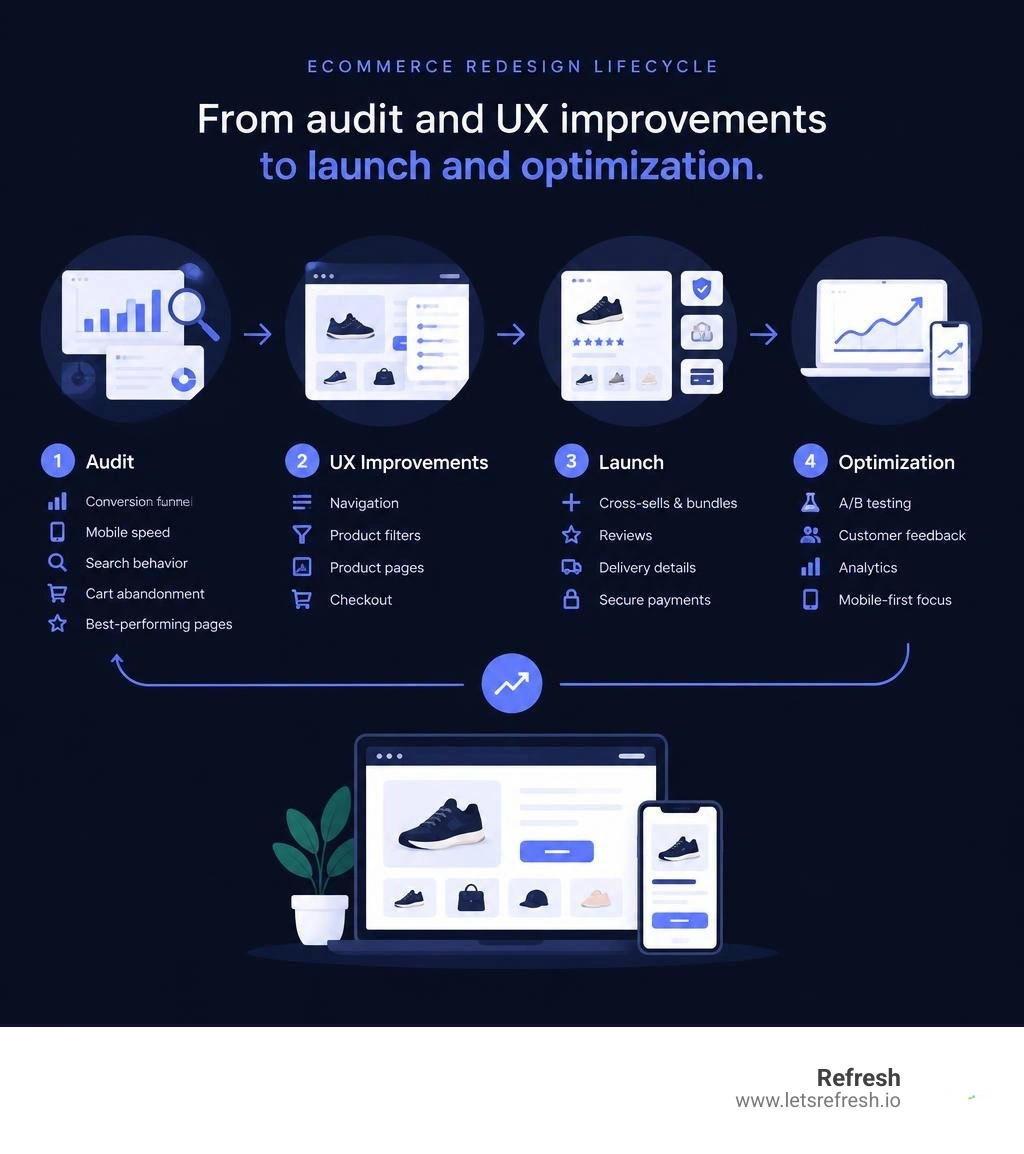
Ecommerce website redesign terms made easy:
Why an Ecommerce Website Redesign Is Critical for Revenue Growth
The digital retail space moves quickly. While average global ecommerce conversion rates historically hover around 2.95%, high-performing stores consistently outperform industry averages by eliminating usability barriers. Online shoppers form a concrete first impression of a website within 50 milliseconds. When an online shop looks outdated, clunky, or slow, visitors leave before exploring a single catalog item.
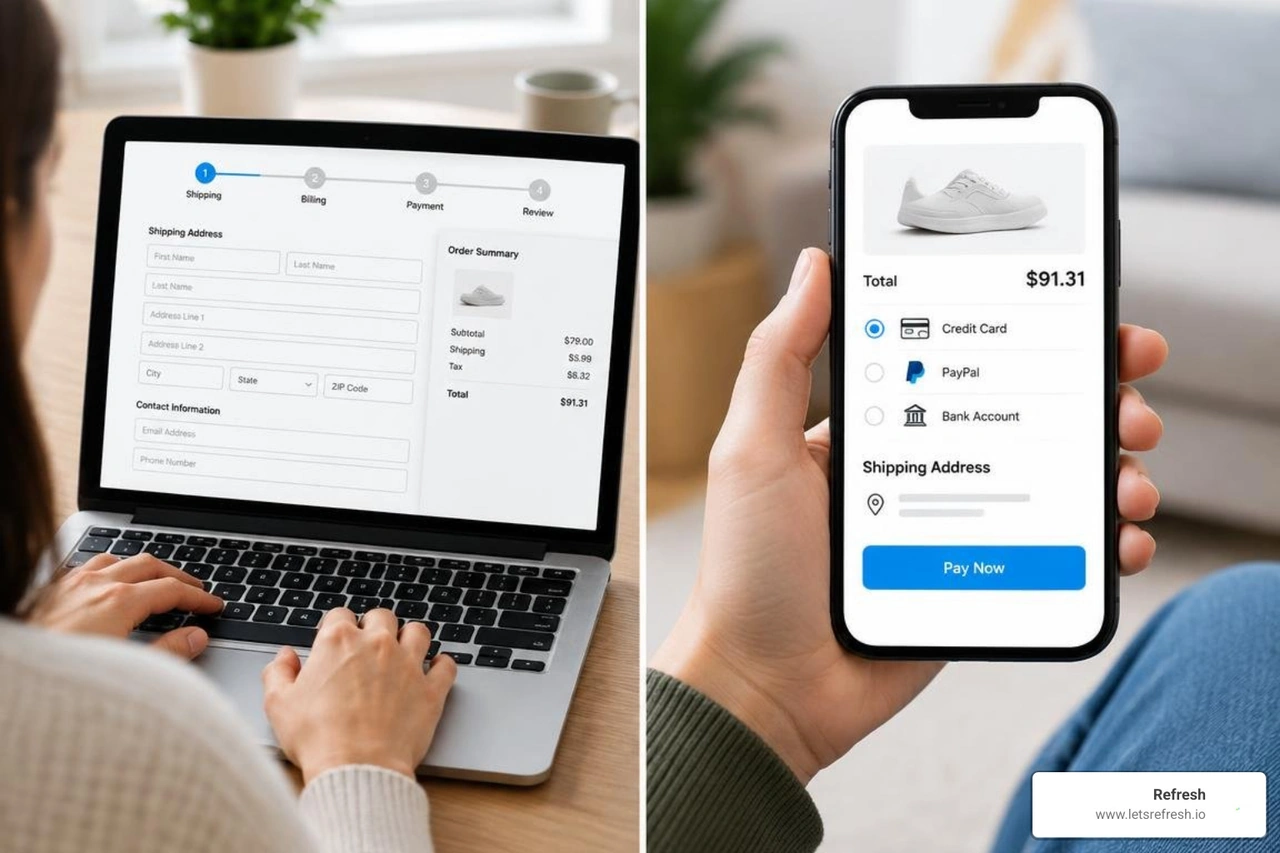
A strategic redesign modernizes your digital storefront while transforming your shop into a revenue engine. When heritage brands and modern retailers upgrade their digital experience, the commercial impact is immediate. For instance, a data-driven UX overhaul for a luxury home textiles brand unlocked over $1.4M in new revenue within the first year, alongside an 18% increase in session duration.
Shifting Consumer Expectations and Mobile Dominance
Mobile devices now drive the majority of retail browsing sessions, often accounting for over 70% of total site traffic. If a mobile user has to pinch, zoom, or fight with tiny drop-down menus, conversions plummet.
Optimizing responsive layouts delivers dramatic returns. Modern storefront upgrades frequently yield massive mobile gains:
- A mobile redesign for a major food brand boosted mobile traffic by 33%.
- A modern apparel store redesign drove a +187% surge in mobile revenue, a +42% lift in mobile Average Order Value (AOV), and a +66% increase in mobile conversion rates.
- A skincare brand replatform generated a +187% mobile conversion lift and +180% overall revenue growth.
Mobile-first design requires thumb-friendly touch targets, sticky add-to-cart actions, and rapid payment gateway integrations.
Unlocking Higher AOV and Conversion Rates
Increasing conversion rate is only half the battle; maximizing every completed order is where sustainable profitability happens. By weaving different online marketing strategies directly into page layouts, you naturally guide buyers toward larger basket sizes.
Implementing dynamic bundle builders, tiered volume discounts, and contextual one-click cross-sells raises order values across the board. A modern apparel store redesign demonstrates this power, driving a 30% overall increase in AOV and conversion rate lifts up to 200%.
Step-by-Step Strategic Audit Before Starting Your Redesign
Before adjusting visual assets, analyze what your store does well and where shoppers drop off. Jumping directly into wireframes without baseline metrics leads to costly mistakes.
| Audit Dimension | Quantitative Metrics (Analytics) | Qualitative UX Insights (User Feedback) |
|---|---|---|
| Discovery & Search | Zero-result search queries, category exit rates | User confusion over taxonomy, missing filters |
| Product Consideration | Time on page, bounce rate, image interaction rate | Unclear sizing details, missing trust signals |
| Cart Engagement | Cart abandonment rate, promo code drop-offs | Hidden shipping costs, confusing mini-cart behavior |
| Checkout Flow | Step-by-step funnel drop-off, payment errors | Form validation friction, lack of preferred gateways |
Auditing Site Performance, Heatmaps, and User Behavior
Use heatmaps, click maps, and session recordings to uncover hidden friction points. Heatmaps quickly reveal whether visitors ignore your primary call-to-action (CTA) banners or click unlinked text elements expecting navigation. Customer surveys and post-purchase feedback loops shed light on why shoppers hesitate.

Inventorying High-Value Content and Technical Assets
Every legacy website possesses digital assets that protect organic rankings and drive revenue. Before building a new theme, catalog:
- Top-converting product and category landing pages.
- Informational blog posts and buyer guides earning organic backlinks.
- Customer reviews, user-generated photos, and structured schema markup.
- Visual assets, product photography, and sizing charts.
Knowing what assets you own helps streamline planning and clarifies the cost of your website redesign for your brand.
Core UX Principles for High-Converting Store Architecture
A high-converting online store relies on clear visual hierarchy, effortless navigation, and strong trust signals.

Store design must establish credibility immediately. Prominently display verified customer reviews, clear return policies, and recognized payment badges to reassure buyers. In luxury and tactile retail, digital storytelling can replicate an in-store experience, strengthening conversion and positioning within Italian sartorial luxury.
Frictionless Navigation and Omni-Channel Product Discovery
When customers cannot locate a product within seconds, they leave. Modern ecommerce information architecture requires:
- Faceted Search & Predictive Filtering: Autocomplete search that surfaces direct product matches, relevant collections, and instant thumbnail previews.
- Intuitive Category Taxonomies: Organizing products by use case, occasion, and collection rather than internal manufacturing codes.
- Sticky Header Menus: Keeping search, account details, and cart access readily available across deep-scroll pages.
Product Detail Pages and Interactive Customization
Product Detail Pages (PDPs) serve as your digital sales reps. To convert shoppers, provide rich, scannable product information:
- High-resolution, multi-angle product photography on clean backgrounds.
- Interactive zoom tools and 360-degree interactive viewers.
- Dynamic variant pickers that update inventory availability and imagery instantly.
- Interactive quizzes that recommend personalized product routines to drive engagement and AOV.
Cart Optimization, Mini-Carts, and Streamlined Checkout
Cart abandonment often stems from unexpected costs or complicated checkout forms. To streamline the path to purchase:
- Slide-Out Mini-Carts: Keep users on their current page while confirming items added to the cart, displaying a real-time progress bar toward thresholds like priority handling.
- Transparent Pricing: Show estimated taxes and delivery options before the final payment step.
- Streamlined Guest Checkout: Remove mandatory account creation barriers and offer one-click express payment methods.
Managing Your Ecommerce Website Redesign: Planning, Timelines, and Tech Stack
A successful website overhaul balances design ambitions with strict project management. Applying modern web redesign workflows ensures milestones are hit without scope creep.
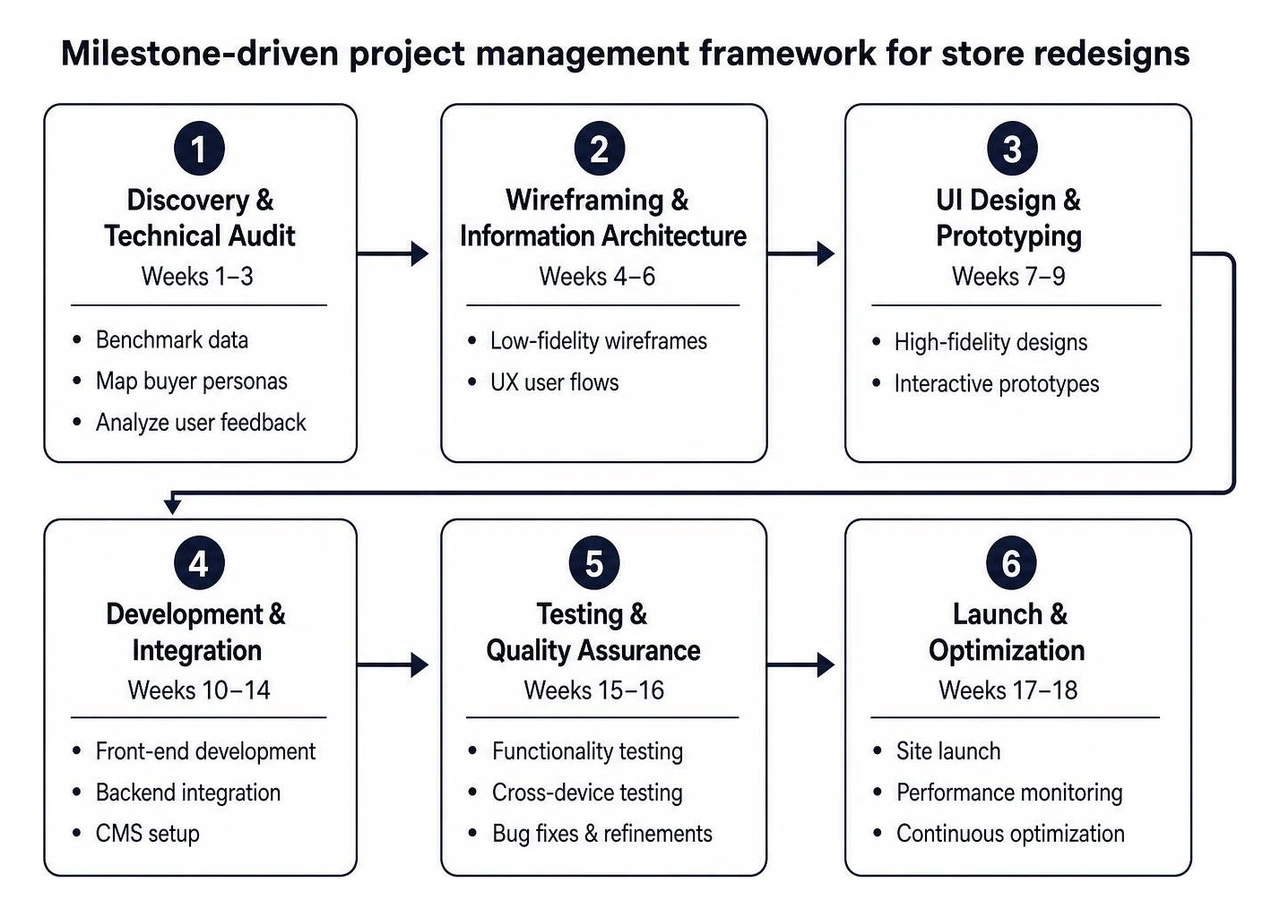
Setting SMART Milestones for an Ecommerce Website Redesign
Break your project into clear, time-boxed agile sprints to avoid launch delays:
- Phase 1: Discovery & Technical Audit (Weeks 1–3): Benchmark data, map buyer personas, analyze user feedback.
- Phase 2: Wireframing & Information Architecture (Weeks 4–6): Low-fidelity structural wireframes and UX user flows.
- Phase 3: Visual UI & Design System (Weeks 7–9): High-fidelity styling, component libraries, and interactive prototypes.
- Phase 4: Development & Integrations (Weeks 10–13): Frontend visual builds, CMS setup, and third-party API configurations.
- Phase 5: QA Testing, SEO Migration & Launch (Weeks 14–16): Cross-browser testing, 301 redirect validation, and go-live deployment.
Choosing Between DIY Execution vs Hiring a Dedicated Team
While simple template updates can be handled internally, a complete custom redesign requires a cross-functional team of UX researchers, frontend engineers, and technical SEO specialists. Partnering with a dedicated website rebranding agency minimizes operational disruption, accelerates time-to-market, and ensures data-backed design choices.
Selecting Modern Platforms: Why Webflow Leads Modern Ecommerce
Selecting the right platform is critical for long-term scalability. At Refresh, Webflow is our preferred platform for custom web experiences. Webflow gives growing businesses complete visual design control, generates clean semantic code, and removes the bloated plugin dependencies that slow down traditional content management systems. Its intuitive visual CMS empowers marketing teams to build landing pages, update product stories, and launch promotional campaigns without custom development cycles.
Safeguarding SEO Equity and Performance During Site Revamps
A redesign should grow your search traffic, not disrupt it. Without a thorough migration plan, changing URL structures or stripping legacy content can cause search rankings to decline.
Technical SEO and Redirect Mapping During an Ecommerce Website Redesign
Safeguard your hard-earned rankings by following comprehensive ecommerce SEO protocols:
- 1-to-1 301 Redirect Mapping: Map every indexed legacy URL to its exact new equivalent.
- Metadata & Heading Parity: Maintain target keyword targeting on high-performing collection pages.
- Generative Engine Optimization (GEO): Structure product data, FAQs, and brand content clearly so AI engines and modern search platforms can easily index and cite your store.
- XML Sitemap & Search Console Validation: Submit updated sitemaps to Google Search Console immediately upon deployment to accelerate crawling.
Core Web Vitals, Image Compression, and CDN Optimization
Site speed directly dictates conversion rates. Compress all imagery into next-gen WebP or AVIF formats, implement responsive picture elements, remove unused legacy JavaScript libraries, and deliver assets via a global CDN. Fast-loading pages boost your search rankings and keep shoppers engaged.
Frequently Asked Questions About Online Store Redesigns
How long does a complete store redesign take?
A comprehensive store redesign typically takes 8 to 16 weeks, depending on catalog size, backend integrations, and custom functionality requirements. Phased agile releases allow core improvements to go live quickly while advanced features roll out iteratively.
How can a store redesign avoid losing search engine rankings?
Rankings are preserved through rigorous pre-launch audits. Maintain high-performing on-page copy, retain structured schema markup, configure exact 301 redirects for every altered URL path, and test all redirects thoroughly in a staging environment before launching.
What metrics determine whether an online store redesign was successful?
Measure project success by tracking:
- Average Order Value (AOV) growth
- Overall and mobile conversion rate lifts
- Cart abandonment rate reductions
- Core Web Vitals and page load speed improvements
- Organic search visibility and customer lifetime value (LTV)
Conclusion
An online store redesign is an investment in your brand's growth and revenue potential. By prioritizing intuitive mobile UX, streamlined checkouts, transparent trust signals, and clean modern platforms like Webflow, you turn casual visitors into loyal, high-value customers.
If you are ready to modernize your digital presence, explore our website redesign services and let our team build a scalable, high-converting digital storefront for your business.


.avif)