

How to Compare Monthly Webflow Maintenance Plans
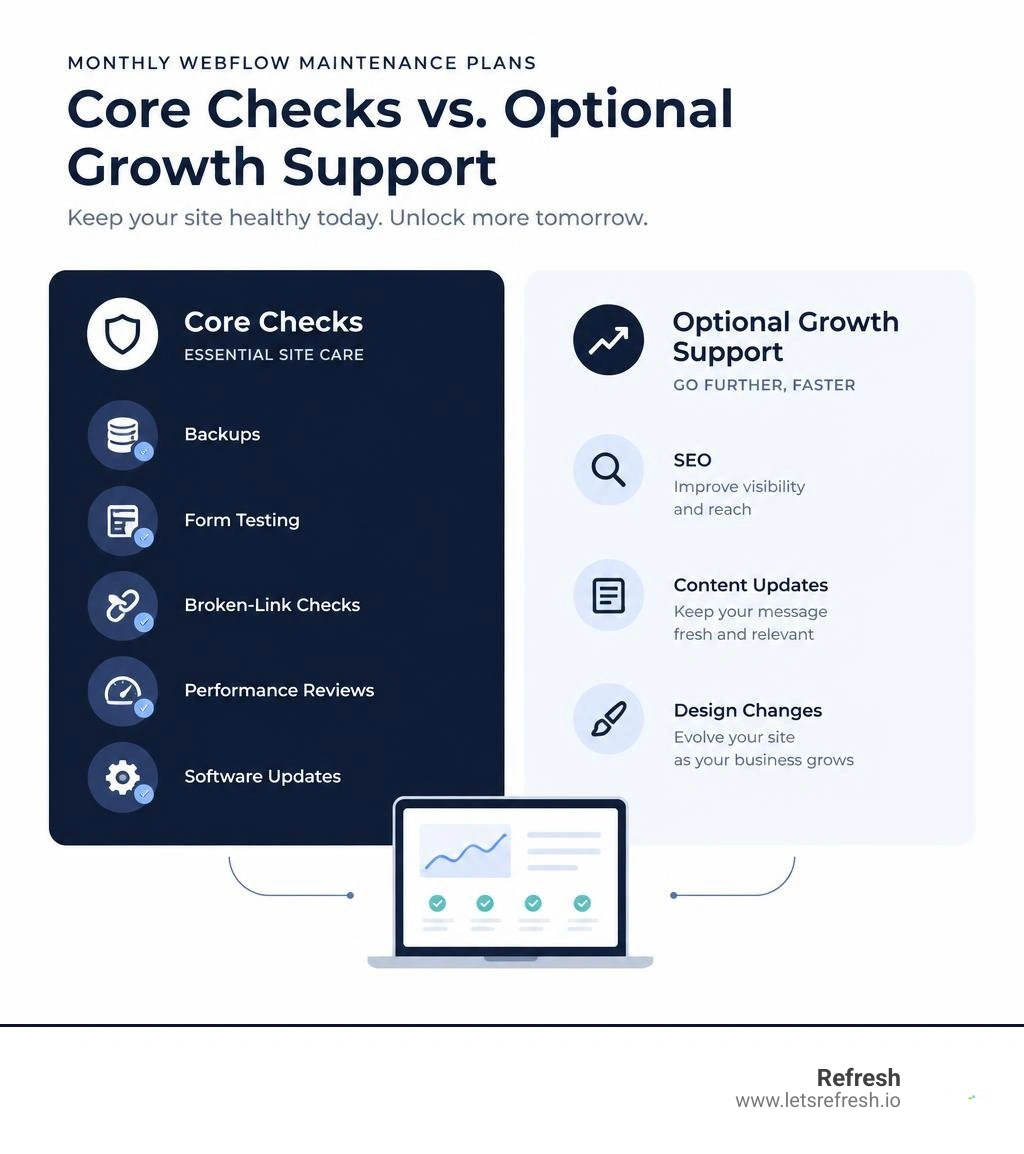
Monthly Webflow maintenance plans provide scheduled site checks and updates under a defined monthly agreement. Compare plans by looking for backups, form testing, broken-link checks, performance reviews, and clear response times. Then check whether SEO, content updates, and design changes are included or cost extra. A plan gives your team a routine for site care instead of waiting until something breaks.
I'm Alexander Palmiere, founder of Refresh, and I help businesses assess monthly webflow maintenance plans as part of their ongoing website support. My team has built and launched more than 200 websites, which informs the practical checks this guide will help you prioritize.
Monthly webflow maintenance plans word roundup:
Why Investing in Monthly Webflow Maintenance Plans Protects Business Growth
Your website functions as your primary sales engine, brand hub, and customer touchpoint. While Webflow provides a robust foundation, treating a live site as a set-it-and-forget-it project creates hidden operational risks. Proactive maintenance preserves technical health, safeguards digital assets, and maintains operational stability across your entire organization.
Regular site care yields measurable operational efficiency. Organizations that adopt scheduled website governance frequently experience up to a 67% decrease in dev ticketing. By catching script conflicts, styling bugs, and dead links early, internal teams spend less time troubleshooting and more time driving strategic business initiatives.

Consistent upkeep also directly protects your revenue pipeline. Unmonitored conversion pathways and broken integrations can silently drain sales opportunities. In contrast, well-maintained platforms have helped enterprises protect and drive over $200M in new pipeline generated post-site launch. Maintaining a structured routine for ongoing Webflow site support ensures your digital storefront operates reliably. For an in-depth breakdown of these operational workflows, consult our Webflow maintenance complete guide.
Comparing Ad-Hoc Fixes vs. Monthly Webflow Maintenance Plans
Relying on ad-hoc repairs creates unpredictable expenses and exposes your business to extended downtime. When an issue occurs without a dedicated support structure, diagnosing the root cause takes valuable time while leads go uncaptured.
Proactive retainers deliver significant financial advantages, often generating up to 10x in cost savings annually compared to recurring emergency developer rates.
| Maintenance Attribute | Monthly Maintenance Retainer | Ad-Hoc Emergency Repairs |
|---|---|---|
| Response Time | Guaranteed SLAs (e.g., 24–48 hours) | Variable availability |
| Billing Model | Predictable monthly investment | Variable hourly emergency rates |
| Issue Resolution | Proactive monitoring and prevention | Reactive troubleshooting after downtime |
| Site Health Audits | Scheduled monthly and quarterly checks | None (fixes isolated bugs only) |
| Strategic Enhancements | Continuous SEO and UX optimization | Limited strictly to immediate patches |
Mitigating Webflow-Specific Technical Pitfalls
Webflow removes many server-level headaches common to legacy content management systems, but modern builds introduce distinct technical challenges that require expert oversight:
- CMS Collection Limits: Rapidly expanding content can hit Webflow plan boundaries, causing publishing interruptions or unoptimized database queries.
- Custom Code Conflicts: Third-party JavaScript snippets, custom tracking pixels, and CSS embeds can conflict after platform updates, breaking interactive layouts.
- Complex Interaction Bugs: Multi-step scroll animations and hover states can degrade performance on modern mobile viewports if unoptimized.
- Form Routing Errors: Webhook endpoints, Zapier automation bridges, and CRM integrations frequently disconnect when third-party APIs update authentication protocols.
Addressing lead capture pathways is especially critical. Routinely validating form fields and optimizing your Webflow forms integration can drive up to a 56% increase in form fills by eliminating friction and failed submissions.
Essential Features and Services in Ongoing Webflow Retainers
A comprehensive maintenance retainer combines technical stability checks with forward-looking optimizations. High-performing retainers prioritize technical speed, as search engines and users both reward a fast loading website. Continuous Webflow page speed optimization ensures images remain compressed, unnecessary styles are purged, and Core Web Vitals remain in the green.
Core Deliverables Included in Monthly Webflow Maintenance Plans
Reliable retainers include a foundational set of technical safeguards executed on set schedules:
- Automated Backups & Disaster Recovery: Verifying regular site restoration points before major design or structural publishing events.
- Uptime & SSL Monitoring: Continuous observation of DNS routing, custom domain certificates, and platform availability.
- Security Audits: Conducting routine business Webflow security audits to verify user permissions, review editor access logs, and audit embedded scripts.
- Link & Form Integrity: Automated scans to detect 404 errors, dead external URLs, and broken redirect chains.
Strategic SEO Audits, Content Updates, and Design Refreshes
Maintenance extends beyond technical repairs into growth-oriented website governance. Enrolling in ongoing SEO maintenance plans helps businesses maintain SEO optimized Webflow sites that secure lasting visibility.
Search engines prioritize fresh, technically sound platforms. Scheduled metadata refinements, schema updates, and performance tuning have fueled milestones such as a 1,170% increase in traffic YoY alongside a +20% increase in site-wide conversion. Incorporating modern Webflow UX design updates keeps user journeys intuitive and aligned with modern conversion standards.
Webflow Maintenance Tiers: How Much Should You Pay?

Pricing for monthly support packages correlates with site complexity, traffic volume, and the scope of strategic hours included. Base software subscriptions vary based on official Plans & pricing, and planning your budget requires understanding underlying Webflow hosting pricing alongside agency support retainers.
Basic vs. Standard vs. Premium Maintenance Packages
Support packages typically fall into three operational tiers:
| Package Tier | Best Suited For | Core Inclusions | Typical Monthly Investment |
|---|---|---|---|
| Basic | Brochure sites & early-stage businesses | Uptime tracking, monthly backups, broken link scans, form testing | $300 – $750 / mo |
| Standard | Scaling B2B portals & active marketing hubs | Basic features + speed tuning, CMS management, 3–5 monthly development hours | $800 – $2,000 / mo |
| Premium | Enterprise ecosystems & global traffic engines | Dedicated SLA, ongoing UX improvements, custom API audits, priority dev hours | $2,500 – $6,000+ / mo |
For mid-market and enterprise organizations managing multi-layered tech stacks, proactive agency retainers have contributed to significant scale efficiencies, including upwards of $6M in cost savings annually compared to staffing expansive internal engineering teams for routine site updates.
Cost Drivers: Integrations, CMS Scale, and Custom Functionality
Several technical factors influence where your site falls on the pricing spectrum:
- Custom Code & Third-Party APIs: Extensive custom JavaScript, Memberstack configurations, or custom checkout funnels demand deeper QA testing.
- Large-Scale Dynamic Databases: Managing sites that leverage programmatic SEO Webflow requires ongoing database audits and collection cleaning.
- Localization & Multi-Language Setups: Maintaining sites with Webflow multi language support requires multi-locale auditing whenever global design components update.
How to Choose the Right Webflow Support Partner
Selecting an agency partner requires evaluating technical capability and communication workflows. Look for verified partner credentials, transparent change-log reporting, and defined service level agreements (SLAs).
Collaborating with top Webflow developers ensures modifications follow clean class structures and modern responsive design conventions. Choosing a dedicated partner for Webflow expert support protects your site architecture from disorganized styling and unnecessary technical debt.
Frequently Asked Questions About Webflow Maintenance
How often are backups, security checks, and performance scans conducted?
Standard plans run uptime monitoring continuously, with automated backups taken before every publish. Technical health checks, broken link crawls, and security reviews typically occur monthly, while in-depth Core Web Vitals speed audits run quarterly as part of ongoing website performance monitoring.
Does Webflow still require maintenance if hosting is managed?
Yes. While managed infrastructure provides excellent baseline uptime, hosting does not safeguard against outdated external JavaScript libraries, broken webhook endpoints, design bugs, or CMS structural errors. Comprehensive Webflow hosting support addresses your custom integrations, ensuring that having Webflow host websites is paired with active application-level care.
Can maintenance packages cover new page design and landing page builds?
Standard and premium retainers often include dedicated developer hours that can be allocated toward new assets. This setup allows your team to request high-converting Webflow landing page design or specialized small business Webflow development without negotiating separate project contracts for every marketing campaign.
Conclusion
A well-structured website maintenance plan transforms your digital presence from a vulnerable marketing asset into a reliable, high-converting revenue driver. By implementing scheduled backups, technical audits, and continuous conversion enhancements, your business avoids reactive development panics while staying ahead of search engine standards and modern user expectations.
At Refresh, we support growing businesses with long-term digital marketing, branding, and technical website maintenance. Whether you operate out of Pittsburgh, PA, Cleveland, OH, or Charlotte, NC, our team provides the reliable development and optimization support needed to keep your site fast, secure, and competitive. Partner with Refresh for expert Webflow development and support services that keep your business growing smoothly.